Photo tool comparison
Is a topaz photo ai alternative free of the commitments you do not need?
If you searched for a topaz photo ai alternative free to try, separate the editing results you want from the access terms you need. Enhancephoto helps you compare the workflows without assuming that the linked product has a free tier or matches every Topaz feature.

Verdict first (table)
The side-by-side table below is the quick verdict: choose around the work you actually do, then verify current features and terms at each product.
Dimension by dimension
Use the same source photo and the same viewing conditions when you assess any Topaz Photo AI alternative.
-
1
Define the job before choosing a tool
Write down whether your priority is reducing noise, recovering a usable-looking face, enlarging a small file, or adjusting an image's overall appearance. Those are different tasks. A result that looks appealing at thumbnail size may still fail the detail test you care about. If you need repeatable work across many files, include that requirement from the start.
-
2
Compare at the intended viewing size
Inspect hair, skin, lettering, fine edges, and flat backgrounds at 100% zoom, then look again at the size where you will actually use the photo. Watch for waxy skin, invented-looking texture, halos, and smudged text. A larger image is not necessarily a more faithful one, and a dramatic preview is not proof that an editor recovered missing detail.
-
3
Check the workflow and its terms
Topaz Photo AI is a desktop-focused photo application; a linked online destination may fit a different way of working. Before sending a private image anywhere, review the destination's current upload, retention, export, and access information. If a free option matters, confirm what it permits today rather than treating a search result as a promise about the product.
What a visual comparison can show
Use these portraits as inspection references, not as a claimed test of Topaz Photo AI against another product.

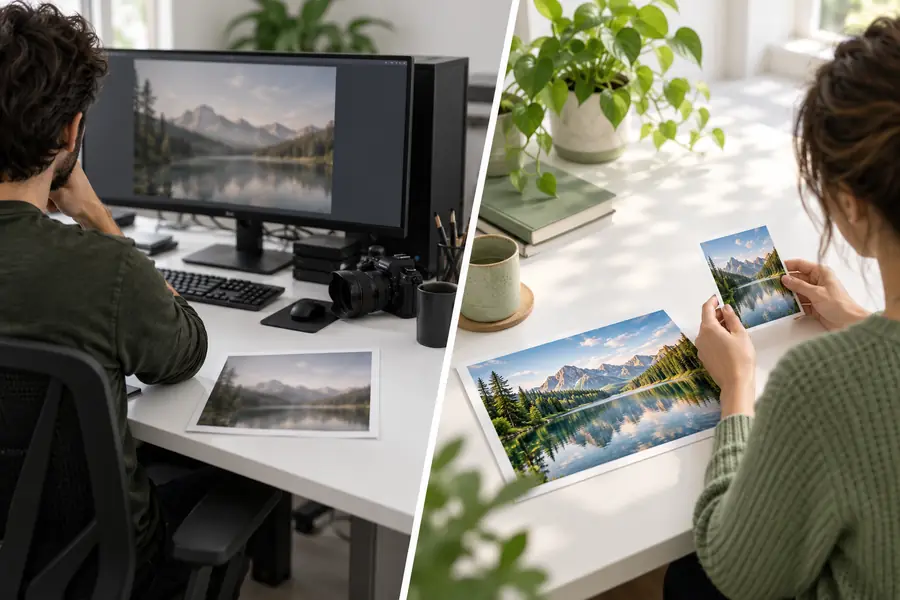
These are separate illustrative images, not two outputs from the same source file. For a valid before-and-after test, process one original photo in each tool and compare its eyes, hair, background, and edges at equal display size.
Softer referenceCrisper referenceWho each suits
Topaz Photo AI and the product reached through Enhancephoto should be judged on verified capabilities, not assumed feature parity.
| Topaz Photo AI | Enhancephoto-linked product | |
|---|---|---|
| Starting point | An established desktop photo-editing application with dedicated enhancement tools. | An external product destination. Review its current interface and supported tasks before choosing it. |
| Best initial fit | A photographer seeking a dedicated application for recurring image-quality work. | Someone exploring a different photo workflow and willing to confirm that it handles their specific image. |
| Noise and detail | Includes tools intended for noise reduction and sharpening; suitability still depends on the source. | Do not assume equivalent controls or results. Check the live product and inspect a representative output. |
| Upscaling | Offers image-upscaling functionality; a larger file still warrants close inspection. | Verify whether enlargement is offered, what it changes, and which export dimensions are available. |
| Repeat work | Consider when a consistent desktop workflow matters across a collection of photos. | Check whether the current product supports the volume and level of review your project requires. |
| Free access | Check Topaz's current trial and licensing terms directly; do not assume ongoing free use. | Check the destination's current terms directly; this page does not promise a free tier. |
| Sensitive photos | Review the application's current data-handling information for your setup. | Review the destination's upload and retention policies before submitting personal images. |
| Decision test | Run a photo with the defects you encounter most often and examine the saved result. | If the product supports your task, use the same source and compare its saved result under identical conditions. |
Migration path
Keep an untouched copy of a representative image and note what you want improved. Visit the linked product, confirm that its current tools and terms fit your needs, and test that image if the workflow allows it. Compare the result with your existing process at equal zoom and final display size before changing how you handle a larger collection. An alternative earns its place through a result you can inspect, not through a claim that every Topaz Photo AI feature has an equivalent.
Move one photo, not your whole workflow
- Start with a non-sensitive test image
- Check current access and export terms
- Keep the original for a fair comparison
Comparison FAQ
There may be tools with free access, trials, or limited-use options, but those are different arrangements. Check the current terms of any product you are considering, including what you can export and whether ongoing use is permitted. Enhancephoto does not guarantee that the linked product is free.
That depends on the source photo and the particular task, such as reducing noise or enlarging an image. Compare saved results from the same original at the same display size, rather than comparing promotional examples. Also check whether the controls and workflow you rely on are actually available.
List the tasks you use most, then test a representative photo with visible problem areas. Inspect fine edges, skin, text, and backgrounds for artifacts, and check the final export. Review current access terms and image-handling information before moving private files or an entire project.
No. Sharpening can make edges look more pronounced without recovering information that the original never captured. Examine the saved image at 100% zoom and at its intended viewing size, paying particular attention to artificial texture and halos.
Choose based on the work you need to complete, the controls you require, and how you are comfortable handling your images. A desktop application may suit a recurring editing routine; an online workflow may be worth evaluating for a different task. Confirm the actual capabilities and policies of either product before relying on it.